
Home Assistant AI Tools: Read-Only Is a Defined Scope
2026-11-14
Home Assistant AI Tools: Read-Only Is a Defined Scope
Home Assistant AI tools gained a broader troubleshooting role in the November release. The 2026.11 announcement describes information lookup alongside tools that can call actions or reload integrations, and it notes a read-only option for the MCP server. For a cooking-robot procurement discussion, the useful distinction is between an assistant reading information about a kitchen setup and an integration permitted to change that setup. The feature announcement does not establish either scope for a particular delivered product.
Information access and device actions answer different needs
An assistant might help explain a device's reported state, locate an automation or summarize an available history. Those information tasks differ from changing a device setting or invoking an action. The release explicitly distinguishes an assistant that can act from one that only reads. A buyer should identify which capability is actually included in the integration being demonstrated.
Figure 1 shows an information request on one path and a state-changing action on another. It uses no cooking instructions, temperature settings or appliance commands. The diagram does not imply a real device can be controlled through either path. It makes the promised interaction scope visible before somebody describes a demonstration as a complete kitchen workflow.
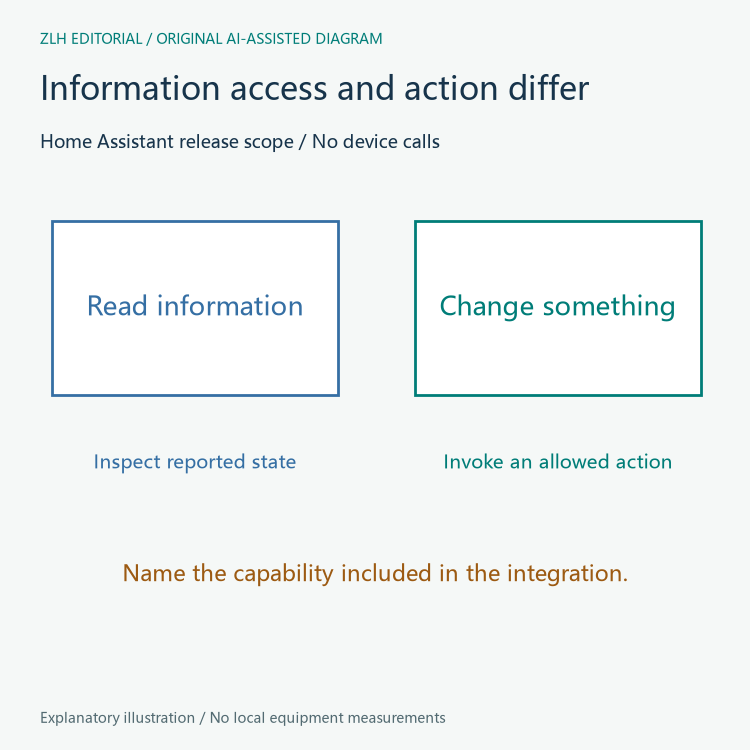
A hypothetical demo might answer whether a named appliance reports itself available. That result would be an information observation, not evidence that a meal can be prepared or that an action is authorized. The application should label the task it demonstrated rather than let a conversational answer stand in for physical-operation evidence.
The read-only option belongs to a particular endpoint
The official MCP server documentation says the main URL can expose only tools marked as not changing anything when read-only is selected. It also states that the individual tool-set URLs ignore those main-URL options and are never read-only. An integration description therefore needs to identify the endpoint, not merely say an MCP connection exists.
Figure 2 separates the main URL's configuration from the individual URLs. It contains no real network address, credential or account information. The point is that a setting's scope is part of its meaning: a label shown in one configuration area should not be assumed to govern a different endpoint.

The documentation lists read-only as off by default. The existence of the option is consequently not proof that a new connection already uses it. This article has not opened a Home Assistant instance, attached an agent, changed permissions or called any tools. It examines the published contract only.
Read-only is also described in terms of tools marked as non-changing. That wording should be retained when explaining the feature. A supplier claiming a particular integration's behavior should identify which tools are exposed and what was observed, rather than broaden the documentation into an absolute claim about every component.
Tool sets differ in the information they expose
The server page distinguishes Device control from the broader Home Assistant tool set. Device control uses entities exposed to voice assistants, while the broader set can access all entities, logs and history and perform actions. A read-only decision and an information-scope decision are therefore related but separate configuration questions.
For an explicitly hypothetical kitchen assistant, a buyer could ask which reported entities it can inspect and whether the delivered integration includes any state-changing tools. Those questions are more concrete than asking whether the assistant is connected. They describe what information and operations belong to the promised feature.
The release also says an administrator must attach an LLM API to a conversation agent or MCP server before it becomes available there. A feature listed in the release notes is not evidence that a buyer's existing installation has been connected automatically. The actual configuration needs its own record.
None of these software descriptions establishes suitability for a particular cooking process or device. That requires the actual product's capabilities and observations. This article gives no food-processing parameters and does not present an AI response as an appliance acceptance result.
Make the demonstration's scope reviewable
A useful procurement demonstration can name the endpoint type, allowed tool set, read-only state and exact information task performed. If a separate operational workflow is included, describe that separately and retain its own observations. The two capabilities can coexist without being treated as the same test.
A proposed record should also say which configuration was inspected and when. A screenshot of a chat answer may show the answer, but it does not reveal the endpoint's current options. A supplier should provide the evidence appropriate to each claim rather than infer configuration from conversational output.
Our cooking-robot integration news follows these platform changes, while the kitchen-system procurement reference examines delivery scope. The November update offers more explicit choices. A clear specification names information access, action capability and the endpoint settings that govern them.